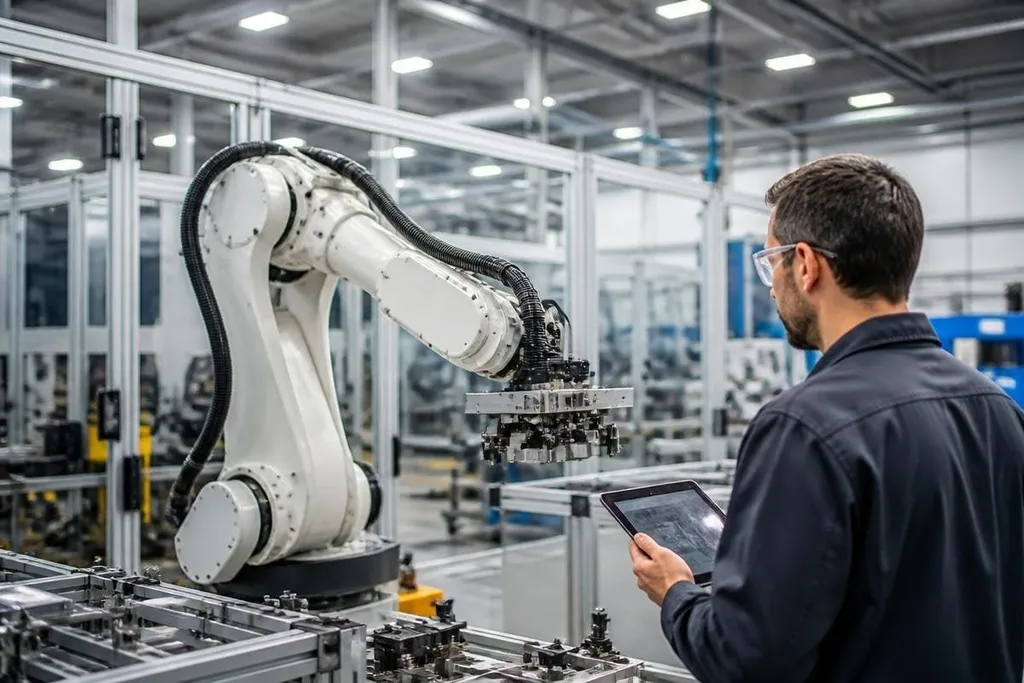
Industrial robots are moving beyond fixed, repeat-only tasks. The next useful gains will come from robots that can sense changes, work near people, and handle more steps without a new setup for each one.
Quick read
- Force sensing could help arms handle parts that vary in shape or position.
- Better vision may cut the need for fixed jigs and exact part placement.
- Easier software setup matters as much as motors, payload, or reach.
For a plant manager, the useful question is not which robot sounds newest. It is which change can remove a known delay, reduce manual handling, or let one cell handle more than one product.
Force sensing at the tool
Most factory arms follow planned paths. That works well when every part sits in the same place, but small changes can cause a failed pick, a jam, or a damaged surface.
Force sensing gives the robot a reading of contact pressure at the wrist or tool. The arm can then slow down, adjust its path, or stop when the contact is outside its set range.
A polishing arm, for example, can keep contact with a curved surface instead of pressing with the same force at every point. The value depends on the task.
This method won't fix a poor gripper, a badly placed part, or a work cell with no room for the arm to move. Ask for results on your material and tool, not a demo with a clean test part.
Vision that handles change
A fixed camera can check a known position. A newer vision setup may need to find parts in a bin, read an identifier, or spot a defect while the line runs.
That shifts some work from custom fixtures to software and sensors. The gain is greatest when your plant makes several product types or changes its layout often. If every part arrives in the same position, a simple sensor may cost less and run with fewer points of failure.
The test should use your lighting, surface finish, speed, and error rate. Shiny metal can confuse cameras. Dark rubber can hide edges. A system that works in a bright lab may need different lighting and tuning on the factory floor.
Robots that move between tasks
A fixed arm does one job from one location. Mobile bases and flexible end effectors can move tools or parts between stations, but the extra motion brings new safety and control work.
The robot must detect people, shelves, cables, and changes in the floor. Its route also needs clear rules for stops, handoffs, and recovery after a blocked path. That makes the layout part of the robot project, not a detail left for installation week.
I'd watch systems that can switch tasks through a clear software setup, while keeping limits on speed, force, and access. A changeover that takes hours still may be useful, but it won't suit a line that changes products every few minutes.
The changeover question needs reports that name the robot, factory, and software involved. Industrial robotics reporting from Robot24.com can give you those details before workers check how the software sets limits and changes tasks.
Software that workers can check
Robot software is becoming easier to set up through visual tools, simulation, and reusable task files. That can reduce the need to edit motion code for every small change.
Ease of setup still needs a clear test. A worker should be able to see the robot's planned path, check the safety limits, and restore a known version after a bad change. If the system hides those details, a quick setup may create a longer repair later.
Look for logs, access controls, offline simulation, and support for the robot operating system your plant already uses. Ask who owns the task files when the supplier leaves. That answer affects the cost of every later change.
What to check before you buy
Use this short guide when a supplier presents a new industrial robot system:
- Name the task: record the part range, cycle time, tool, and handoff.
- Test bad inputs: include skewed parts, poor lighting, surface changes, and blocked routes.
- Measure recovery: time how long a worker needs to clear an error and restart production.
- Check the limits: confirm payload, reach, speed, stop behavior, and safety functions.
- Price the whole cell: include tooling, guarding, sensors, software, training, and service.
The strongest change will be the one that works on your least cooperative shift, not the one that looks best in a prepared demo. Force sensing, flexible vision, mobile work, and easier software all deserve attention, but each needs a plant-level test before the purchase order.
The next useful proof is simple: run the robot on your parts for one full production cycle, then count the stops, resets, and worker minutes it needs.